
Truth is more balanced. AI can perform some tasks well, but it has fundamental limitations. It processes information quickly and recognises patterns, but it can still produce inaccurate or misleading results. It can write fluently without knowing a situation. It can help make decisions, but it shouldn’t make essential ones for people. AI must be used efficiently by understanding its limitations. This guide discusses where AI can help in daily work, where its limitations are important, how to combine AI with human judgement, and how to avoid common mistakes that can turn a useful tool into a problem.
Daily Work AI Can Do
AI can support linguistic, information, pattern, and digital routine jobs. Its capacity to swiftly process vast volumes of data and produce an initial output that can be reviewed and improved makes it helpful. AI might help an individual format rough notes, summarise a long report, suggest meeting questions, or explain unfamiliar terms. Managers may use it to arrange thoughts before presenting. A student or researcher could use it to investigate a topic and identify gaps.
These uses have a crucial trait: AI usually assists rather than takes full responsibility. People give directions, verify findings, offer context, and make final judgements. The most productive users see AI as a productivity assistant. It can speed up certain tasks, but the quality of the final product depends on how the system is utilised and how its output is examined.
AI Aids Writing and Editing
AI is commonly used for writing. It can assist write a first draft, improve sentence structure, tone, reduce paragraphs, and simplify complex language. This can help when someone knows what to say but fails to order it. A person may ask AI to turn a rough list of ideas into a professional email. Another user may have provided a lengthy explanation and want a simpler one for a general audience.
AI may also identify grammar errors and recommend alternatives. Users shouldn’t assume every suggested change is better. AI systems can remove important details, change meaning, or sound too formal or unnatural. AI can improve writing, but you should read the final version. You must ensure the message conveys your intent. AI helps solve the blank-page problem. Instead of starting from scratch, it can provide a starting place to edit.
Organise and Explore Information with AI
Useful applications include information discovery. AI can clarify confusing concepts, offer issues to investigate, find themes in notes, and simplify complex material. Imagine someone studying cloud computing for the first time. They might ask an AI helper to clarify basic ideas in plain English instead of reading technical paperwork. Further learning can begin with the explanation.
AI can organise user data. A big list of notes can be organised into themes or an outline. This can simplify identifying what is known, what is lacking, and what needs more research. Helping with research is different from being a trustworthy source. AI explanations may be inaccurate. Users should verify essential statements using reliable sources such as official documentation, government websites, academic publications, and professional groups.
AI Can Summarise Lots of Data
Many people read paperwork, meeting notes, reports, and long messages. AI can summarise previously provided data, reducing initial effort. An employee may utilise AI to summarise a lengthy meeting transcript. A team could use it to summarise a project discussion. Readers may request simplified versions of complicated documents.
Summaries help quickly understand the structure of a lot of information. Unfortunately, summarisation can leave out crucial details. A brief summary may exclude a qualification, exception, deadline, or context. So, summaries shouldn’t always replace the original. Use these to understand the main themes and select which portions need further attention.
AI Can Help Brainstorm and Create Ideas
AI helps generate possibilities. It can offer subjects, issues, approaches, names, structures, or problem-solving methods. This aids early creative and analytical work. Someone preparing a presentation may ask AI for several organisation options. A business team could use it to brainstorm workflow solutions. A writer may want multiple perspectives.
Value is not always in the AI generating the best idea. Instead, it might expand a person’s options. A human can then analyse the suggestions, eliminate poor ones, combine useful ones, and create something new. One problem is adopting AI-generated ideas without question. Patterns in its training and instructions help AI provide convincing suggestions. Experience is still crucial for determining what is realistic, suitable, or distinct.
Reduce Repetitive Work using AI
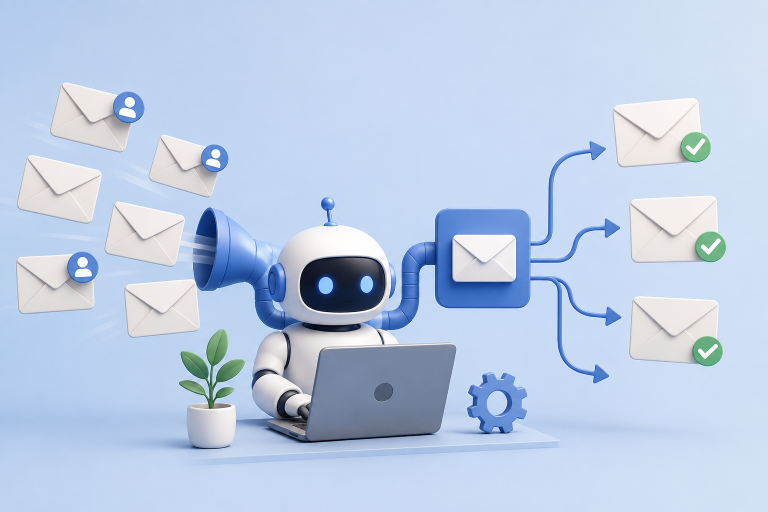
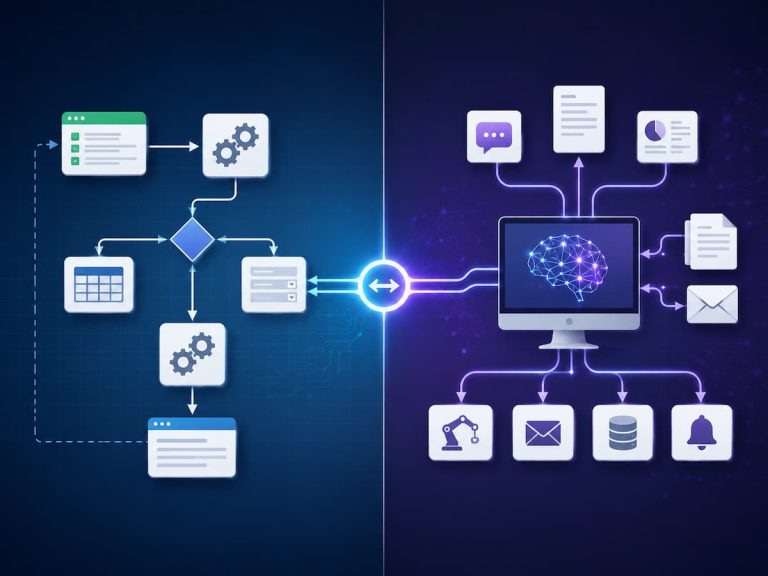
When language or information is difficult to handle with simple rules, AI can help with repetitive tasks. Categorising messages, extracting details from documents, creating typical responses, and organising unstructured material are examples. Imagine a staff receiving hundreds of consumer messages. Traditional workflows may categorise them using keywords. An AI system may classify messages and interpret their meaning.
However, repetitious tasks may not necessarily require AI. Traditional automation may be more dependable and easier to maintain if a task follows clear guidelines. Moving a file to a folder at a preset time doesn’t normally require an AI model. The optimum approach is problem-specific technology. AI is most useful for repetitive tasks that need interpretation or classification.
Data and Pattern Analysis with AI
AI can analyse data and detect patterns that are difficult to spot manually. The tool may arrange data, identify trends, classify records, or provide explanations based on user input. This could include helping someone grasp a spreadsheet, spot strange changes, or categorise a vast dataset at work. AI tools differ greatly in capability. However, AI-generated analysis requires caution.
A system may misinterpret data, miss a key variable, or identify a meaningless pattern. A dataset pattern does not necessarily explain why something happened. In crucial judgements, AI analysis should help human investigation, not replace it.
AI Cannot Relyably Do
Knowing AI’s limits is as vital as knowing its potential. Because they provide fluent, well-structured answers, AI systems appear clever. Language proficiency and comprehension are different. AI cannot tell if an answer is true just because it can generate it. Situational context may be missing. A person’s intentions may be misinterpreted. It may also provide a confident but inaccurate answer.
AI’s limits become increasingly critical when utilised for financial, safety, health, employment, legal, or sensitive personal data decisions. AI may not be best avoided. Instead, users should know which tasks AI can safely help with and which need more human supervision.
AI Cannot Guarantee Accuracy
AI’s inability to guarantee correct answers is a major drawback. Some AI systems use learned patterns instead of real-time source verification. This can result in inaccurate facts, outdated information, misinterpreted questions, or manufactured references. The output may sound polished and convincing, making the problem difficult to spot.
A little mistake may be straightforward to correct for low-risk operations. For high-risk tasks, penalties might be severe. Tech researchers may need to check their findings against government documents. Consult credible sources or trained professionals for financial or legal problems. Never trust an AI answer based on confidence or professionalism. Independently verify crucial data. Always consider job purpose when assessing accuracy. The verification method should be increasingly thorough as error costs rise.
Humans Understand Context Better Than AI
AI can process context presented during a conversation, but it does not have the same background knowledge as a human colleague. A project worker who has worked on it for months may comprehend unwritten internal politics, expectations, decisions, and relationships. These details may be unknown to an AI system unless expressly provided. Even with context, the system can misinterpret its importance.
It matters in everyday conversation. Say someone requests AI to write a confidential email to a coworker. The AI may write well, but it needs context to grasp the two people’s personal relationship. When communicating about subtle emotions, organisational dynamics, cultural expectations, or sensitive relationships, human judgement is essential.
AI Cannot Replace Human Judgement
AI can propose, but excellent decisions require more than an answer. Considerations include values, consequences, experience, uncertainty, responsibility, and context. AI may suggest several workplace problem-solving methods. Managers must consider people, company policies, justice, and repercussions. AI can contribute ideas but not results.
Similar rules apply to daily choices. AI can organise possibilities, but the user must judge whether they make sense. This is crucial for professional AI use. Organisations should explicitly specify which decisions they can automate, which require human approval, and which they should never leave to AI.
AI Cannot Protect Sensitive Data Automatically
Additionally, AI cannot automatically determine whether data should be kept private. The user must choose which data to enter into the system. Some people paste confidential documents, personal data, client data, or internal corporate material into AI tools without reading their privacy policies. This poses unneeded hazards.
Review privacy and organisational norms before using AI with sensitive data. Please verify whether the service can handle your data appropriately. When feasible, remove extraneous identifying information. Privacy should be a process consideration. Using a useful AI tool that poses data vulnerabilities is not recommended.
AI Cannot Replace Human Creativity and Experience
AI can create, but it uses patterns learned from existing data and instructions. It can mix concepts creatively, but human creativity goes beyond words and images. People use personal experience, culture, emotions, observation, curiosity, and real-world understanding. These traits affect creative judgements in ways that automated systems cannot easily replicate.
So AI can be a creative partner. It can help with writer’s block or exploration, but humans make decisions. Collaboration typically yields best results. AI generates options quickly, but humans evaluate meaning, creativity, relevance, and emotional impact.
What AI Can and Cannot Do: Quick Comparison
| AI Can Help With | AI Cannot Reliably Guarantee |
|---|---|
| Drafting and rewriting text | That every statement is factually correct |
| Summarising documents | That no important detail has been omitted |
| Generating ideas | That every idea is original or practical |
| Explaining complex concepts | That every explanation is complete or error-free |
| Organising information | That its interpretation of the information is always correct |
| Identifying patterns | That every identified pattern has real significance |
| Classifying some types of content | Perfect classification in every situation |
| Supporting routine workflows | Independent judgement about every exception |
| Helping with creative development | Replacing human experience and responsibility |
This comparison highlights a useful principle: AI is often strongest when it helps people process information and create a first version of something. It becomes less reliable when the task requires deep context, responsibility, verification, or nuanced judgement.
Best Practices for Using AI at Work
Useful AI requires precise instructions. Instead of asking a nonspecific question, specify your goals, audience, format, and restrictions. Effective instructions usually yield better results. Next, provide context without revealing critical information. While AI cannot use information it does not receive, you should not supply every detail.
Check output before using. Identify mistakes, missing information, unsuitable language, and meaning alterations. The review should match task importance. Tracking AI involvement is also useful In professional settings, such assessments might help identify document or process aspects that need more verification.
Simple AI Review Checklist
- Did the AI grasp the task?
- Are the facts correct?
- Is necessary context missing?
- Does it suit the audience?
- Has the AI altered the meaning?
- Does output contain sensitive or improper data?
- Does the final outcome need human or professional review?
Best Approach: Human-AI Collaboration
Mixing machine aid with human monitoring is the best strategy to apply AI in daily work. AI excels at speed, pattern recognition, drafting, summarising, and handling large amounts of data. Humans can provide context, judgement, responsibility, empathy, and final approval better. This split of duties can improve productivity without setting unrealistic goals. A person may ask AI to compose a document, then improve it using their understanding. They may use AI to summarise a document and then read the key parts. They could ask AI for suggestions and evaluate them based on real-world limits.
Humans shouldn’t be removed from every procedure. The idea is to reduce effort while involving individuals where their judgement is most valuable. AI becomes a practical tool instead of a problem-solver when employed in this manner.
FAQs
1. Does AI handle most office tasks without human assistance?
AI can help with many office duties, but it cannot do everything alone. It can compose communications, summarise texts, manage data, and produce ideas. However, many tasks require context, judgement, accuracy checks, or permission. The importance and risk of the work should determine human involvement. Low-risk jobs may simply need a cursory assessment, whereas sensitive or high-impact activity needs more human oversight.
2. Why does AI occasionally provide inaccurate answers?
Patterns and information inform AI results. They may misinterpret the inquiry or lack current information depending on the system. Some generative AI systems can make false, believable statements. Therefore, people should not assume fluent writing is accurate. Verify critical information against trusted sources, especially if an inaccuracy may have major implications.
3. Should I use AI for crucial job decisions?
AI can organise data and suggest possibilities, but key decisions should be made by humans. Consider the background, implications, policies, and obligations. For financial, employment, safety, legal, or personal information decisions, this step is crucial. Because it can make recommendations rapidly, AI can help make decisions, but it should not be the final authority.
4. Can AI comprehend my meaning?
AI often interprets language well, but it doesn’t understand every circumstance like a person. It depends on the interaction environment and information. AI may miss unstated expectations, personal ties, organisational history, and cultural nuances. Clear context improves results, but human review remains necessary when communication is sensitive or misunderstandings could cause issues.
Conclusion
AI can streamline daily work, but its usefulness depends on its role. It aids writing, summarising, researching, brainstorming, information organization, pattern detection, and repetitive work. These qualities can save time and help people start tough or overwhelming work. AI also has limitations. It cannot ensure correctness, understand all context, secure sensitive data without restrictions, or substitute human judgement and accountability. Its output may be spectacular but incomplete or wrong.
Thus, neither trusting nor rejecting AI is best. Use it when it helps, provide clear instructions, preserve sensitive data, and carefully review the outcomes. More significant tasks require more careful output checking. AI works best when it helps people do their work, not when they expect it to think for them. Understanding its powers and limitations lets you employ AI as a practical everyday assistant while relying on human judgement for essential tasks.

Samira Patel is a tech writer who believes the best tools are the ones you actually use. She tests every app, shortcut, and workflow on her own laptop before sharing it—no recommendations she hasn’t lived with herself. When she’s not figuring out why a computer is running slow, she’s probably reorganizing her cloud storage (again). She writes to help busy people find simpler, smarter ways to work. No hype, just what works.