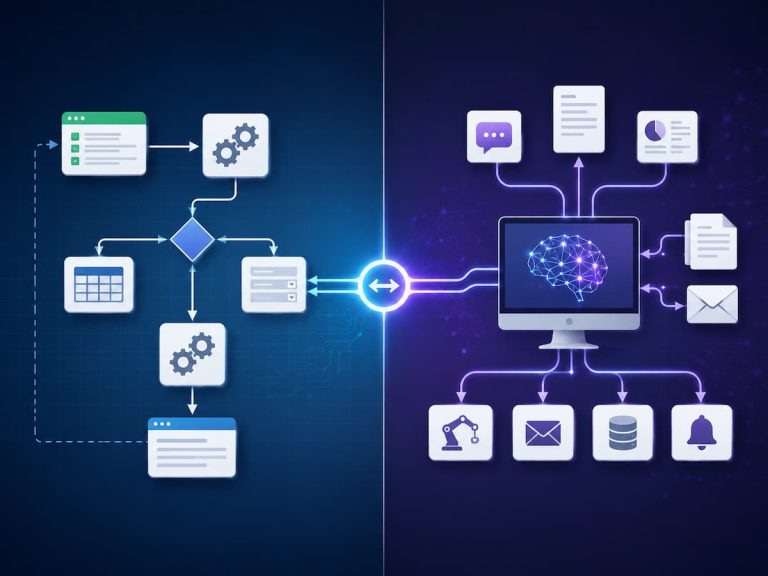

In artificial intelligence, the most popular or feature-rich tool does not necessarily mean the best. This tool is tailor-made for your specific goal, work style, budget, privacy requirements, and technical expertise. Avoiding the hype when evaluating AI products is the goal of this tutorial. You will find out how to identify your requirements, evaluate various tools, verify their security and privacy features, test their accuracy, comprehend their cost, and determine if a tool is truly helpful before incorporating it into your routine.
Focus on the Work at Hand, Not the AI App
Starting with an issue you wish to resolve is the simplest approach to selecting an AI tool. On the contrary, a lot of newbies mess up. They begin by searching for an intriguing AI service, and then they attempt to come up with a reason to utilise it. This usually results in tools that people stop using after a few weeks, workflows that are too cumbersome, and subscriptions that aren’t necessary. Instead, make a note of the work you need assistance with. Some common uses include summarising meeting notes, drafting an email, getting a handle on a complex subject, removing an image’s backdrop, or organising data from many files. The task at hand can be more precisely described, making it easier to determine the appropriate tool.
Before you do the task, think about how frequently you do it. Maybe studying AI for a service that only saves five minutes once a month is not worth it. Even a daily five-minute time save might make the same service worthwhile. Keep the whole process in mind, not simply the AI function. A more complicated tool that requires ten more steps to operate might not be as helpful as a simpler one that fits into your routine and gives outstanding results. Please provide a brief description of the assignment before you begin searching for an AI tool. You should probably wait to compare tools until you can articulate your needs properly.
Determine the Necessity of an AI Tool
There isn’t just one kind of software that AI encompasses. Knowing the general categories that tools fall into might help you save a lot of time. Drafting, ideation, summarising, explaining concepts, and data manipulation are all areas where general-purpose AI assistants can be useful. Tools designed for writers may prioritise content generation, editing, grammar, or tone. The purpose of image tools is to create or edit visual material. Services that transcribe spoken language into text are available, and users may also have access to specialised data and research tools that allow them to analyse massive datasets.
Additionally, you might already be using goods that have AI capabilities built in. You might not even realise it, but your email, office apps, smartphone, browser, or design app could be running AI. Because they may already People often overlook privacy when they new workflow, these built-in choices are worth exploring before adding another subscription.
| Task | Tool Type to Consider | What to Check |
|---|---|---|
| Drafting or rewriting text | General AI assistant or writing tool | Editing quality, tone control, context handling |
| Creating images | AI image generator or editor | Image quality, editing controls, usage rights |
| Meeting transcription | Speech-to-text tool | Language support, accuracy, speaker identification |
| Research and summaries | AI research assistant | Source citations, browsing ability, verification options |
| Repetitive business tasks | AI automation platform | Integrations, reliability, workflow controls |
The goal is not to find one tool that does everything. Sometimes a general-purpose assistant is enough. In other cases, a specialised application will provide better controls and more reliable results.
Compare Features That Actually Matter
AI tools often advertise long lists of features. More features do not automatically mean better value. A beginner may be impressed by dozens of options but regularly use only two or three. Focus on capabilities that directly affect your task.
For a writing task, you might care about the ability to provide detailed instructions, upload documents, maintain context, and revise drafts. For image work, editing controls and output quality may matter more. For research, the ability to identify sources and distinguish facts from generated text becomes particularly important. It is also useful to separate essential features from desirable ones. An essential feature is something you genuinely need. A desirable feature is convenient but not necessary. This distinction prevents you from paying extra for capabilities that look impressive but have little practical value.
Questions Worth Asking
- Does the tool perform my main task well?
- Can I provide enough context for useful results?
- Does it support the file types or formats I use?
- Is it easy to edit or refine its output?
- Does it work on the devices I use?
- Does it have limits that affect my normal usage?
A common mistake is comparing tools based only on their marketing pages. A feature may technically exist but be difficult to use or limited to an expensive plan. Always investigate how the feature works in practice.
Check Accuracy Before You Trust the Output
AI-generated content can sound confident even when it is incorrect. This is one of the most important facts to understand before relying on any AI tool. A polished answer is not automatically a verified answer. The level of checking required depends on the task. If you ask an AI assistant to suggest names for a fictional character, accuracy is not a major concern. If you ask it to explain tax rules, legal requirements, financial information, or technical specifications, verification becomes much more important.
Before choosing a tool for serious work, test it with questions you already know how to evaluate. Give it a realistic task rather than a simple demonstration. Check whether it follows instructions, omits important details, invents information, or misunderstands the context. Never assume that an AI-generated answer is correct simply because it is detailed, confident, or professionally written. For important decisions, verify information using reliable primary or authoritative sources. Tools that provide citations or links to supporting sources can be helpful for research, but citations should also be checked. An AI system can sometimes misunderstand a source or connect a claim with evidence that does not actually support it.
Think Carefully About Privacy and Data
People often overlook privacy when they choose AI tools. Users may paste personal information, work documents, customer details, private messages, or confidential business material into an AI service without considering where that information goes. Before using a tool, review its privacy policy and terms. Look for information about data retention, how submitted content is handled, whether conversations may be used to improve services, and what controls users have. Business and professional users should pay particular attention to administrative controls and data protection commitments.
You should also minimise the information you provide. If an AI tool can complete a task without knowing someone’s full name, account number, address, or other identifying details, remove those details first. Replacing sensitive information with general labels can reduce unnecessary exposure. Privacy is not only a concern for large companies. A person using AI to organise personal finances, prepare employment documents, or manage family information should also think carefully about what they upload.
Consider Ease of Use and Your Workflow
A powerful AI tool is not useful if you find it frustrating to operate. Beginners should pay attention to the entire user experience. Can you understand the interface without reading a long manual? Is it easy to correct an incorrect result? Can you save useful outputs? Does the tool remember relevant context, or must you explain everything repeatedly? Think about where the tool fits into your existing routine. If you write documents every day, a tool that works directly inside your preferred writing environment may be more convenient than a separate application. If you work across a phone and computer, check whether your conversations and files remain accessible across devices.
Ease of use also includes the learning curve. Some specialised tools require time to understand before they become productive. That investment may be worthwhile for frequent users, but it may not make sense for someone who needs occasional help. The best workflow is usually the one that removes friction rather than creating another digital chore.
Understand Free Plans, Paid Plans, and Real Costs
Many AI tools offer free versions, but free access does not always mean unlimited access. There may be usage limits, slower processing, restricted features, smaller file limits, or fewer integrations. Paid plans can remove some restrictions, but the cost should be considered alongside how often you will actually use the tool.
For example, if a subscription costs £20 per month and saves you several hours of repetitive work, it may provide meaningful value. If you use it twice a month for tasks that take only a few minutes, the same subscription may not be worthwhile. There can also be indirect costs. A tool may require additional software, expensive storage, specialised hardware, or time spent learning complicated processes. Consider the total cost of using the tool, not just the monthly subscription.
| Cost Factor | Question to Ask |
|---|---|
| Subscription | Will I use it often enough to justify the price? |
| Usage limits | Will the limits interrupt my normal work? |
| Extra services | Do I need another application to use it properly? |
| Time | How long will it take to learn and maintain? |
Check Integrations and Compatibility
An AI tool becomes much more useful when it works with the software you already use. Integrations can reduce the need to copy and paste information between different applications. Depending on your needs, you might look for compatibility with email, calendars, document editors, cloud storage, project management systems, or communication platforms.
However, integrations should be evaluated carefully. A tool may advertise compatibility with another service while offering only limited functionality. Check exactly what the integration allows you to do and whether it requires a higher subscription tier. File compatibility is another frequently overlooked issue. If you regularly work with PDFs, spreadsheets, presentations, images, or audio files, confirm that the AI tool supports the formats you actually use. A tool that cannot handle your everyday files may create more work than it saves.
Test an AI Tool Before Committing
Whenever possible, test an AI tool using a realistic example before paying for a long-term subscription. Avoid judging it based on a single impressive demonstration. AI performance can vary depending on the complexity of the task and the quality of the instructions you provide. Create three or four typical tasks that represent how you expect to use the tool. For example, if you need writing assistance, test a rough draft, a difficult rewrite, a long document, and a task requiring a specific tone. If you need research support, test whether the system finds useful sources and accurately represents them.
A Practical Testing Checklist
- Choose a real task you perform regularly.
- Give the tool clear instructions and relevant context.
- Check the output for accuracy and missing details.
- Try correcting the tool and see how well it responds.
- Measure how much time the tool actually saves.
- Review the privacy and data settings.
- Test the tool again after a few days instead of deciding immediately.
This approach gives you a more realistic picture of usefulness. A tool may produce excellent results in a demonstration but perform poorly on the specific tasks you care about.
Common Mistakes When Choosing AI Tools
One common mistake is choosing a tool because it is popular. Popularity can be useful evidence, but it does not prove that a service matches your needs. Another mistake is subscribing to several tools that perform almost identical functions. This can increase costs while making your workflow more confusing. People also sometimes focus too heavily on output quality while ignoring privacy, reliability, and ease of use. A tool that produces excellent results but frequently becomes unavailable may not be suitable for important work.
Another overlooked problem is failing to learn basic prompting and review skills. Even a capable AI tool can produce poor results when the instructions are vague. Users should not expect the software to understand an unclear goal automatically. Finally, avoid assuming that AI eliminates the need for human judgement. In many everyday tasks, the best results come from combining AI speed with human review.
A Simple Framework for Making Your Final Decision
If you are comparing several AI tools, create a simple scorecard. Give each option a rating based on the factors that matter most to you. You do not need a complicated spreadsheet. A basic table with scores from one to five can reveal which tool offers the best overall fit.
| Factor | Importance | What to Evaluate |
|---|---|---|
| Task performance | Very high | Does it solve the main problem effectively? |
| Accuracy | High | How often does the output require correction? |
| Privacy | High | Are data practices suitable for your use? |
| Ease of use | Medium | Can you use it comfortably and consistently? |
| Price | Medium | Does the value justify the total cost? |
| Integration | Varies | Does it fit your existing software and workflow? |
Give greater weight to the factors that genuinely affect your situation. For example, a student may prioritise affordability and ease of use, while a business may place greater importance on privacy, administrative controls, and integration.
Use AI as an Assistant, Not an automatic authority.
Picking the correct AI tool is just the beginning. It is just as critical to know how to use it effectively. When accuracy is of the utmost importance, you should still rely on your judgement; AI can only assist in working faster, exploring ideas, organising material, and producing first drafts.
Making three categories out of each assignment is a helpful strategy. Limited checking is typically necessary for low-risk jobs like brainstorming or revising your material. Reviewing thoroughly is necessary for medium-risk tasks, such as summarising technical material. Any decision that could have serious consequences in the areas of law, medicine, finances, work, or safety necessitates reputable sources and, where necessary, expert guidance. You can use this method to determine the appropriate amount of human supervision based on the potential impact of a mistake. We are not aiming to sidestep AI. The key is to put technology to effective use in situations where it helps people and holds them accountable for major choices.
Gradually Evaluate Your AI Resources
Both your requirements and the nature of AI services evolve rapidly. If the price goes up, some features go behind a paywall, or a better competitor comes out, a tool that was beneficial today might not be so appealing tomorrow. You shouldn’t be changing services all the time just because of this. Regular shifts can bring their own set of challenges.
Alternatively, have a look at your tools every so often. Enquire as to whether the service is still time-saving, if you make use of its key features, and if the price is still fair. Verify if the tool has modified its data handling practices or added additional privacy measures. It is also a good idea to keep a basic log of the AI tools you use and their respective purposes. By doing so, you can avoid having multiple subscriptions for the same service and more easily remove the ones you no longer require. Consider whether it is really helpful to have both tools if they do almost the same thing.
FAQs
1. How can I verify the accuracy of an AI tool?
Use your existing knowledge to evaluate the tool and compare its results with those from reputable sources. Find replies that seem confident without offering evidence, as well as those that include inaccurate facts, lack context, or make up references. When doing research, it is preferable to consult the primary sources rather than relying just on abstracts. It is important to evaluate precision in relation to the work at hand. Important judgements involving money, law, health, or safety necessitate more thorough verification than ideas generated during creative brainstorming.
2. Is it secure to provide an AI tool access to private data?
Exercise caution. Please review the service’s data restrictions and privacy policy before uploading anything important. If the job at hand does not necessitate the disclosure of sensitive information, do not provide it. Avoid using specific identifiers and instead use generic ones whenever you can. It is important to adhere to your company’s regulations while utilising AI for work and to never presume that a public AI service offers the same level of security as an approved corporate solution.
3. What is the most common blunder that newcomers to AI tools make?
Buying a tool because it’s popular or has impressive demos instead of because it meets a genuine need is a common pitfall. Some newcomers may also assume that AI can automatically generate flawless outcomes without human intervention. A more effective strategy is to focus on a single issue at a time, evaluate a tool with real-world examples, and then determine if the tool improves the outcome or saves time. This prevents AI from becoming just another complex application to manage and keeps it useful.
4. Will AI ever be able to supplant human judges?
Although AI can be helpful with many things, it shouldn’t take the place of human judgement all the time. Data that is generated may have mistakes, omissions, or incomplete backgrounds. Reviewing the outcome with greater care is necessary when the stakes are high for an inaccurate answer. AI is most useful when used in a supporting role, assisting humans with tasks such as drafting, organising, analysing, or exploring data, while humans continue to verify critical outputs and make final choices.
5. What is the recommended frequency for reviewing AI tools?
Most regular users only need a formal review once every few months. As you go through the services, ask yourself if you still use them, if they really save you time, and if the pricing is still fair. Verify if there have been any updates to the features, usage restrictions, or privacy policies. It is unnecessary to constantly seek new AI releases. Reviewing your tools isn’t about replacing software all the time; it’s about keeping your digital setup useful and manageable.
Conclusion
You don’t need to be an expert in every single artificial intelligence service that pops up online to choose the best AI tool for commonplace jobs. Starting with your requirements is the better strategy. To start, clarify what you need help with, focus your comparison on relevant aspects, and test some sample work before you invest any time or money.
Considerations such as precision, confidentiality, usability, cost, and compatibility should guide your choice. Above all else, keep in mind that the ideal tool is the one that enhances your workflow and fits in with your life effortlessly. Instead of spending money on a complex platform with capabilities you’ll never use, invest in a basic solution that regularly saves time. To begin, choose a single repetitive activity that wastes more time than necessary. See whether a suitable AI tool simplifies the process without introducing additional issues by giving it a try and carefully reviewing the results. With this realistic strategy, you can confidently employ AI while retaining command of your data, processes, and choices.
References
The following resources provide reliable background information about artificial intelligence, responsible use, privacy, and AI-related guidance:
- National Institute of Standards and Technology (NIST) – Artificial Intelligence Risk Management Framework and related AI resources.
- UNESCO – Recommendation on the Ethics of Artificial Intelligence.
- European Commission – AI Act and European Union policy information on artificial intelligence.
- UK Information Commissioner’s Office (ICO) – Guidance on artificial intelligence and data protection.
- OECD – Artificial Intelligence Principles and AI policy resources.
- U.S. National Institute of Standards and Technology – AI Risk Management Framework resources.

Samira Patel is a tech writer who believes the best tools are the ones you actually use. She tests every app, shortcut, and workflow on her own laptop before sharing it—no recommendations she hasn’t lived with herself. When she’s not figuring out why a computer is running slow, she’s probably reorganizing her cloud storage (again). She writes to help busy people find simpler, smarter ways to work. No hype, just what works.