
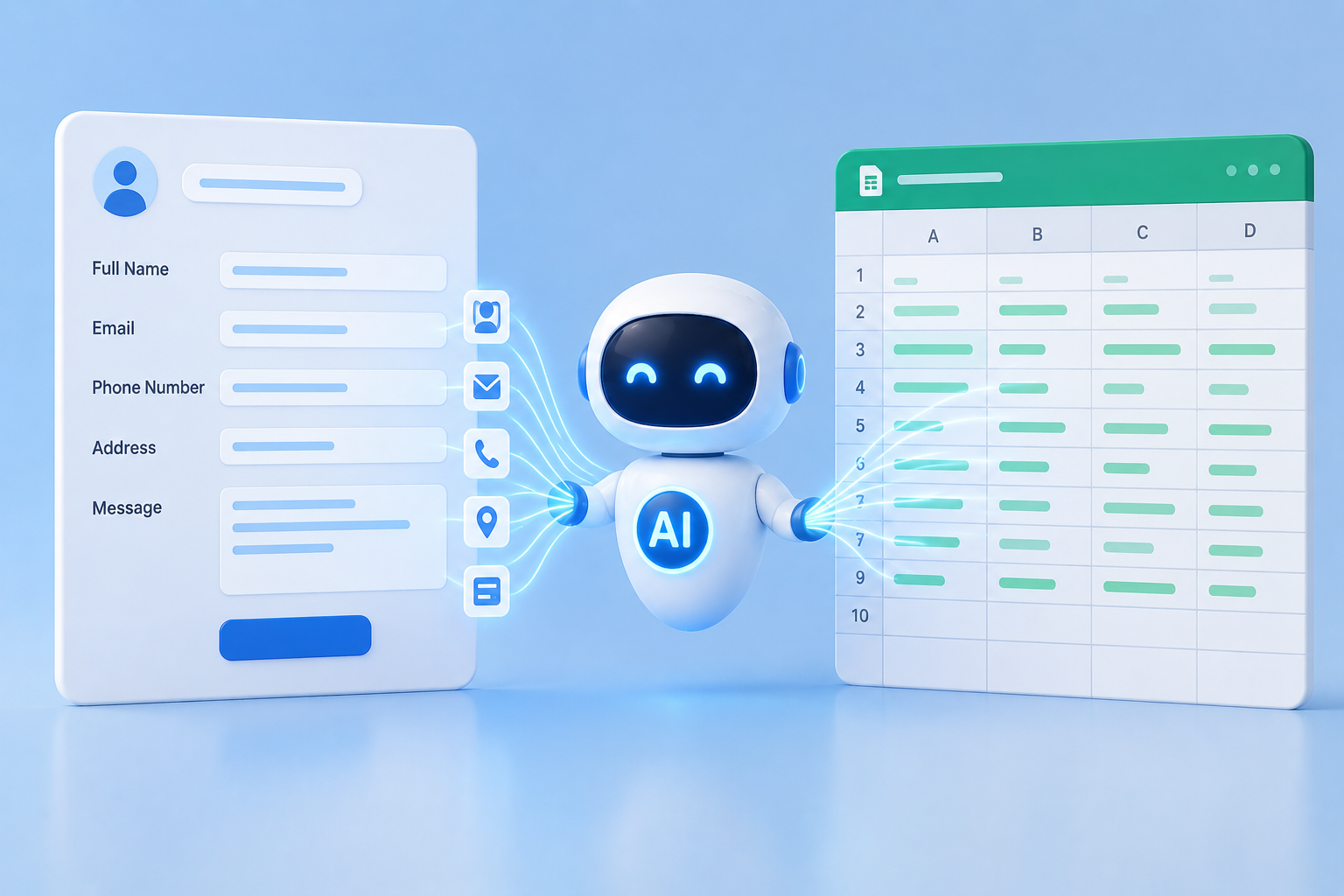
In the fast-paced world of digital technology, managing spreadsheets and paperwork can be a tedious task. The process of tracking expenses, entering information about clients, or filling in recurring forms can be tedious and repetitive. Artificial intelligence (AI), however, is revolutionizing the way that we perform these tasks. AI tools now fill in forms, populate worksheets, and predict data that you need, saving hours of manual labor. How does AI work and how can it be used safely and effectively?
Understanding how AI Reads and Interprets Data
Understanding how AI “reads” and interprets your data is the first step to automating form filling. AI is not able to understand what spreadsheets or forms mean. It relies instead on algorithms that are trained to recognize patterns. An AI system, for example, can recognize fields in a form labeled as “Name,” “Email,” and “Date Of Birth” and knows what data to enter into each one. Natural language processing (NLP) and optical character recognition are often used by advanced AI tools. NLP allows AI to understand field labels and textual instructions, while OCR lets it read scanned documents. The combination of NLP and OCR allows AI to accurately process digital forms as well as paper-based ones.
Automating Repetitive Data Entry
Automating repetitive data entry is one of the most useful applications of AI on spreadsheets and forms. AI can automate repetitive data entry in your business, such as customer information, sales figures, or inventory updates. Imagine, for example, that you receive dozens of invoices every day. An AI-powered tool extracts key data such as invoice numbers, dates, amounts, and vendor names, instead of manually copying it into a spreadsheet. The tool then fills in the spreadsheet cells automatically, saving time and reducing errors. It not only accelerates workflow, but it also ensures consistency in your data.
AI Predictive Data Entry
Predictive intelligence is a feature of some AI systems that goes beyond automation. Predictive AI suggests entries based upon past behavior. If you categorize your expenses frequently as “Office Supplies” and “Travel,” the AI will automatically suggest that you enter new data in these categories. This predictive feature can be especially helpful in spreadsheets that have large datasets. This feature reduces human errors and maintains a clean, organized dataset without constant supervision. Over time, AI learns from your patterns and becomes more accurate in its predictions.
Integrating AI into Popular Tools
Many AI solutions have been designed to seamlessly integrate with the tools you use already, such as Google Sheets or Microsoft Excel. These integrations let AI fill in data without you having to switch platforms. Google Workspace users, for example, can use AI add-ons to automatically extract survey results or email data into Sheets. Microsoft Excel has AI-powered functions under “Ideas,” which suggest formulas, fill in data, and create summaries. This integration of AI ensures that the automation is seamless and integrates with your workflow.
Ensure Accuracy and Data Security
While AI can be incredibly useful, it’s not infallible. It is important to ensure accuracy, particularly for tasks such as financial reporting or legal documentation. Review the AI-filled spreadsheets and forms, especially when setting up a brand new system. The majority of tools allow for a human review prior to final submission. This strikes a balance between accuracy and automation. Another important consideration is data security. Make sure that any AI tools you are using comply with privacy laws and provide secure storage of sensitive data. Cloud-based AI tools often encrypt and restrict data access to prevent accidental leaks.
AI in Action: Real-World Examples
Form and spreadsheet automation powered by AI isn’t just a theoretical concept. It has already transformed the way businesses operate. Some accounting firms, for example, use AI to extract transaction details automatically from scanned receipts. They then populate spreadsheets with the information. AI is used by human resources to save hours of administrative time. Marketers can also use AI to organize responses from surveys, creating actionable insight without having to manually copy hundreds of entries. These examples prove that AI isn’t just for large companies. Automated data entry can be beneficial to small business owners, students, and freelancers.
Get Started with AI Forms and Spreadsheet Tools
AI data entry does not have to be difficult. There are many user-friendly tools that only require a minimal amount of setup. Start by identifying which repetitive tasks are taking up the most of your time. Explore AI solutions that meet your needs, whether it’s an online form-filler, a spreadsheet extension, or a cloud service with OCR/NLP capabilities. Start small once you’ve got a tool. Check for errors and make adjustments as necessary. As you gain confidence, gradually increase automation.
Tips to Maximize Efficiency
Keep these tips in mind to get the most from AI automation. First, keep your source data clean and consistent. AI is most effective when patterns are predictable. Second, where possible, give feedback to AI—many tools will improve with time through supervised learning. Always perform periodic audits in order to detect errors that may slip through automated processes. Following these practices will make AI an effective partner for managing spreadsheets and forms, instead of a dangerous shortcut.
Common Challenges and how to overcome them
AI is not without its challenges, despite its many benefits. A common problem is the misinterpretation of ambiguous labels. A column with the label “ID” can refer to either a product or employee ID. For fewer mistakes, label forms and spreadsheets clearly and give contextual hints to AI. AI adaptation to new formats is another challenge. You may need to reconfigure or retrain the AI if your forms are constantly changing. A flexible tool with easy adjustments will prevent disruptions in workflow.
AI in Data Management: The Future
AI is continuing to develop rapidly. We can expect to see even more intelligent systems in the future that will not only analyze data but also suggest optimizations and detect inconsistencies before they become a problem. Administrative work will become faster, more intelligent, and less prone to errors. Imagine AI that can automatically reconcile bank statements, forecast budget trends, or prepare reports without human input. These capabilities are already available today but they could be the future of data entry.
Conclusion
AI spreadsheet and form automation is not a futuristic idea. It’s now a useful tool that can reduce errors and increase productivity. Anyone can benefit from this technology by understanding how AI reads and automates data. AI can turn mundane administrative tasks into an efficient, smooth process with careful setup and accuracy checks. AI allows you to concentrate on creative thinking, higher-level decision-making, and higher-level creativity.
FAQs
1. Can AI fill out forms using handwritten documents?
OCR, a type of AI, can read and extract information from documents that are handwritten, but accuracy is dependent on the handwriting.
2. Are AI spreadsheets reliable?
AI can be helpful, but it should not be relied upon blindly. Review automated entries, particularly for legal and accounting documents.
3. Can AI learn my data entry patterns?
Predictive AI can be taught to recognize patterns and make future data entry more accurate.
4. Is the information collected by AI forms safe?
The majority of reputable AI tools are compliant with privacy laws and encrypt their data. Check the security settings before you upload sensitive data.
5. Does AI require technical knowledge to be used in spreadsheets
Many AI tools are not designed for technical users. They have simple setup procedures and intuitive interfaces.
6. What platforms are compatible with AI-driven form filling?
Google Sheets, Microsoft Excel, and web-based AI form-fillers integrated with CRM and survey tools are popular options.