
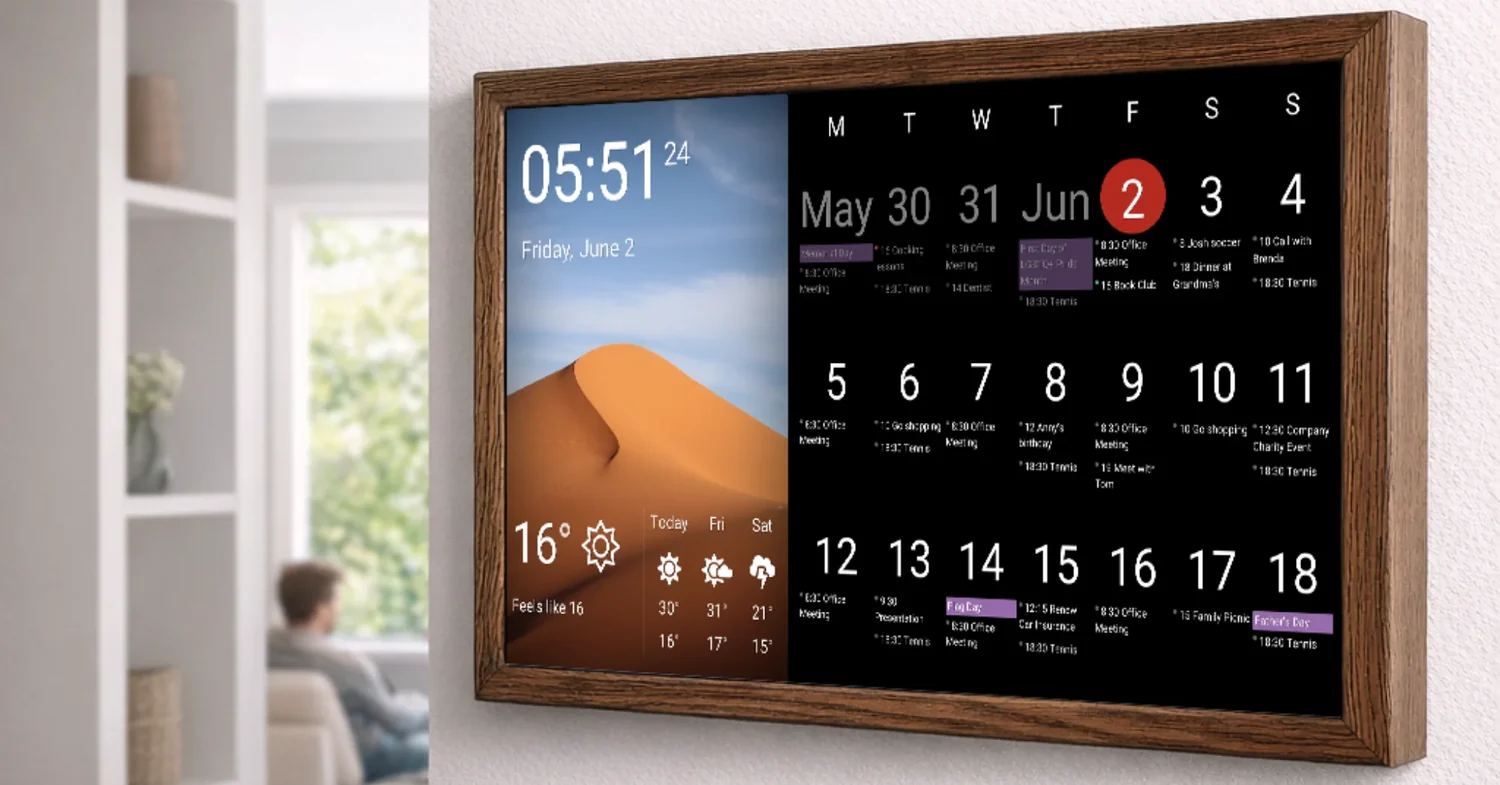
In today’s fast-paced society, effective time management is more important than ever. With ever-growing to-do lists, appointments, and responsibilities, it can be difficult to stay organised. Digital calendars offer a solution to this and are the latest way to take control of your life. Whether you are scheduling meetings or planning personal events, these powerful tools offer flexibility and convenience that paper calendars simply cannot match.
Digital calendars will revolutionise the way you work every day. They allow you to easily integrate events from all aspects of your life and provide reminders and notifications so you don’t miss anything important. Ready to change your time management? Discover the benefits and tips for digital calendars to get your schedule under control more easily!
Benefits of Time Management with a Digital Calendar
Digital calendars are incredibly flexible. Whether you are at home or on the go, you have access to them anytime, anywhere. So you won’t miss any appointments or deadlines. They also synchronise easily between different devices. When you make changes on your phone, they appear instantly on your desktop and tablet. This seamless connectivity means that everything synchronises automatically without any extra effort.
The second major advantage is the ability to set reminders and notifications. These notifications ensure that you don’t miss any important things and that you stay focused throughout the day. Digital calendars usually offer customisable views—day, week, or month layouts—to display your schedule in the format that suits you best. Visualising time periods helps improve productivity, allowing you to focus better on specific time slots. Another important benefit is collaboration. Sharing schedules with others promotes teamwork and strengthens communication, both at work and in your private life.
Choose the Best Digital Calendar
The right smart calendar can significantly improve your productivity. First, consider your own needs. Do you manage personal matters, work activities, or both? Look for a platform whose features align with your lifestyle. Some calendars offer basic functions, while others offer more advanced features, such as task management and reminders.
Compatibility is also crucial. Make sure the calendar is compatible with your device and the apps you use. If teamwork is involved, don’t forget the collaboration tools. With a good calendar, you can easily share appointments and deadlines with colleagues or family. Try out different calendars before making a decision. Many calendars offer a free trial period, so you are not obliged to test the features. Use this time to find the calendar that suits you best, is the most intuitive, and works most efficiently.
Practical Tips for Planning your Digital Calendar
Planning and making appointments requires the help of a digital calendar. Make sure you set aside time for important appointments and tasks. Prioritise these items based on importance to ensure a smooth flow of your day. Next, use colour coding to distinguish between work, personal activities, and self-care activities. This visual categorisation allows you to quickly get an overview of your schedule.
Additionally, set reminders to remind yourself of approaching deadlines or important meetings. Timely reminders help you stay focused and prepared. Check your calendar weekly. As priorities change or new tasks arise, you may need to adjust your schedule. Don’t be afraid to schedule breaks and relaxation. You work hard, but you don’t want to become overworked; a good strategy ensures that you can recharge.
Take Advantage of Features and Integrations
Digital calendars offer a wealth of features that can significantly boost your productivity. Add reminders for events so you don’t miss important meetings or deadlines. Pre-set notifications ensure you can prepare in advance and always stay one step ahead. The real power lies in the integration. Synchronise your calendar with tools such as project management software, email platforms, and even note-taking apps. This keeps all your devices up to date and allows you to continue working seamlessly.
Don’t forget colour coding! Choose different colours for work tasks, personal appointments, and self-care tasks so you can see them at a glance. Shared calendars are also worth considering, as they make it easier to coordinate plans with others or manage team tasks efficiently. These connections turn your digital calendar into more than just a planning tool; they become an integral part of your daily life. Make it a habit.
Keep your Digital Calendar Organized and Clear
Consistency is essential for managing your digital calendar. Schedule time every day or week to review and adjust your schedule. This helps you keep deadlines and tasks under control. You can colour-code tasks to make them clearer and easier to understand. Use different colours to distinguish between personal, work-related, and urgent tasks. Prioritise tasks at a glance.
Use reminders wisely. Set notifications for upcoming events so you can motivate yourself to complete them on time and avoid last-minute stress. Also, clean up your calendar regularly. Delete old items and completed tasks that are no longer relevant. A simplified overview reduces information overload and improves focus. Synchronise your calendar across different devices so you have access to it anytime, anywhere. This keeps all your information synchronised, whether you are on the go or at home.
Solution to Common Digital Calendar Problems
Although digital calendars are convenient, they also have downsides. A common problem is that you can feel overwhelmed by tasks. Plan your time effectively. Try colour-coding events or using tags to prioritise them for better management. Another common problem is that you often forget to check your calendar. Set reminders on your phone to make it a habit. This way, you are reminded to check your calendar every morning and evening.
Sometimes synchronisation issues can occur between different devices. Ensure that all devices are updated and connected to avoid missing important updates. Do not schedule too many events. Allow some extra time between work sessions for unexpected situations and breaks. This small adjustment can make your schedule run much more smoothly.
Agenda for Setting Goals and Tracking Progress
When your goals are in your digital agenda, they become achievable. Start by breaking down large goals into smaller, more manageable tasks. This makes them less overwhelming and easier to reach. Once you have set your goals, set deadlines for each task. Your agenda will constantly remind you of what needs to be done and when it needs to be finished. Don’t forget to check off tasks after you have completed them so that you get a sense of accomplishment.
It is just as important to record your successes. Many digital agendas offer the option to add notes or comments to the completion status of each task. This tool can help you maintain self-discipline and gain insight into your work efficiency. Additionally, consider engaging in regular self-reflection. This helps you assess which methods work and which do not and to adjust your approach so that you stay on track with your ultimate goals.
Integrate Self-care into Your Daily Life
Make room for self-care in your digital agenda. This is more than just a task; it is crucial for your mental and physical well-being. First, identify things that give you energy, whether it is reading, meditating, or taking a walk in nature. Schedule time for these activities, just as you would for important meetings.
Make self-care an integral part of your life. In today’s fast-paced world, it is easy to overlook these moments. Remember that taking good care of yourself makes you more productive and focused. You can even set reminders to stick to your routine. A simple reminder on your phone ensures that you don’t miss this important aspect of your life. Don’t forget to vary things! Schedule different self-care activities throughout the week to bring fun and variety into your life. Sometimes you might want to enjoy a spa day at home, and sometimes you might want to take a walk outdoors. Either way, you will gain different enjoyable experiences while simultaneously promoting your mental health.
Conclusion
Digital calendars can revolutionise how you manage your time. They are flexible, convenient, and powerful, and help you streamline your daily routines. Learning how to use these tools successfully can improve your productivity in both your work and personal life. The key is finding a system that suits you. Try out a few different digital calendars.
Remember that consistency is key. Regular use helps form habits and maintain progress. Scheduling time for yourself helps you maintain balance during busy days. Never underestimate the value of rest – it is a driver of productivity. With careful planning and a good calendar, you can make the most of every day.
FAQs
1. Can I view my digital calendar on other devices?
Yes! Most digital calendars can synchronise with various devices, such as smartphones, tablets, and laptops. So you can take your calendar with you wherever you go.
2. Are digital calendars free?
Absolutely! There are many free solutions, such as Google Calendar, Apple Calendar, or Outlook Calendar, all of which offer extensive features and are completely free.
3. How do I share my calendar with others?
Generally, sharing a calendar is very simple: click on the ‘Share’ option in the app settings and enter the email address of the person you want to share the calendar with. You can also set permissions for what content they can view or edit.
4. I am not very good with computers. Can I still use a digital calendar?
Absolutely! Most digital calendars have user-friendly interfaces suitable for users of all skill levels. Manuals and help sections can guide you through the installation and use.
5. Can I link my digital calendar to other apps?
Many popular apps nowadays support linking to digital calendars, including task management apps like Todoist and project management apps like Trello, which expands the functionality of calendars.