Most people know they should use strong passwords, but the real problem is remembering them. A password like this T7$kP9!zQ2@vL may look secure, but it is almost impossible for the average person to remember. Because of that, many people end up using simple passwords such as their name, birthday, pet’s name, phone number, or the classic 123456.
The problem is that weak passwords are easy to guess. Even worse, if you use the same password on many websites, one leaked password can put several of your accounts at risk. Your email, social media, banking apps, shopping accounts, and work tools may all become vulnerable just because one password was too simple or reused too often. The good news is that you do not need to choose between security and memory. You can create strong passwords that are easy to remember by using smart patterns, longer phrases, and simple personal rules. In this guide, you will learn practical ways to create secure passwords without making your life complicated.
What Makes a Password Strong?
A strong password is not just a password with random symbols. Many people think that adding ! “ing” @ at the end of a word makes it safe, but that is not enough. For example, it Summer2026! may look strong, but it still follows a very common pattern: word plus year plus symbol. A truly strong password is difficult for someone else to guess and hard for automated tools to crack. The best passwords are usually long, unique, and not based on obvious personal information.
Length is one of the most important parts of password strength. A longer password is usually safer than a short, complicated one. For example, it BlueRiverCoffeeMorning47 is much easier to remember than it is, but it is also much longer, which makes it harder to crack. A strong password should also be unique. This means you should not use the same password for your email, social media, online shopping, and banking accounts. If one website has a security issue, reused passwords can create a chain reaction across your other accounts.
Why Easy Passwords Are Usually Risky
Easy passwords are risky because they are often based on information that is simple to find or guess. Many people use things like their birth year, child’s name, favorite sports team, hometown, or pet’s name. These details may feel private, but they are often visible on social media or easy to discover. Passwords like “123456” oor “password”qwerty2026 are especially weak because they follow patterns that attackers already know. Even adding a capital letter or symbol does not always help if the base word is obvious.
Another common mistake is using emotional or meaningful words. For example, a password based on your partner’s name, your school, or your favorite place may be easy for you to remember, but it may also be easy for someone who knows you to guess. The goal is not to create a password that feels random to you. The goal is to create one that feels memorable to you but random to everyone else. That is where password phrases and memory tricks become useful.
Use a Passphrase Instead of a Single Password
One of the easiest ways to create strong passwords that are easy to remember is to use a passphrase. A passphrase is a password made from several words instead of just one word. For example, instead of using “you,” you could use something like CoffeeCloudWindowTrain82. This is much longer, easier to remember, and harder to guess. The words do not need to form a perfect sentence. In fact, it is often better if they feel a little unusual together.
A good passphrase could be based on a strange mental image. Imagine a yellow bicycle sitting on a pizza under the moon. From that image, you could create a password like that. It sounds silly, but that is what makes it memorable. The important thing is to avoid common quotes, song lyrics, movie lines, or famous sayings. A phrase like this MayTheForceBeWithYou is memorable, but it is not a good password because many people know it. Your passphrase should be personal in the way you remember it, but not personal in the details it reveals.
Create Passwords Using a Sentence Method
Another practical method is to turn a sentence into a password. This works well because you only need to remember the sentence, not a random group of characters. Start with a sentence that means something to you but is not obvious to others. For example: “I drink tea before work at 7 every morning.” You can turn that into a password, like Idtbw@7em. This password uses the first letter of each word, includes a number, and replaces “at” with “@”. However, short versions like this can still be harder to remember than a full passphrase, so you can also keep it longer: IDrinkTeaBeforeWork@7EveryMorning.
This method gives you flexibility. You can make the password longer or shorter depending on the website’s requirements. The key is to use a sentence that you can easily recall, then build a password from it. For better security, avoid using sentences that appear online or in public places. Do not use famous quotes, religious verses, slogans, or common motivational lines. Create your own sentence so the password is unique.
Add Personal Rules Without Using Personal Information
Personal rules can make your passwords easier to remember, but you should not use personal information directly. For example, using your actual birthday, address, or phone number is risky. But using a private rule that only you understand can help. For example, you might create a rule where every password starts with two random words, includes a symbol in the middle, and ends with a number that is not related to your birthday. A password could look like this.
The rule is easy for you to remember, but the final password still looks random to others. You can also create different rules for different types of accounts. For example, your email password may follow one pattern, while your shopping accounts follow another. The danger is making the rule too predictable. Avoid using the website name directly in the password, such as AmazonPassword2026! “or.” If someone sees one password, they may guess the pattern for your other accounts. A safer approach is to use a password manager for most accounts and reserve memorable passphrases for the accounts you type often, such as your main device login.
Make Each Password Unique for Every Account
Using one strong password everywhere is still a bad idea. Even if the password is long and complex, it becomes dangerous when reused. If one website leaks your login information, someone may try the same email and password on other services. This is why unique passwords are so important. Your email account should not share the same password as your shopping account. Your banking password should not match your social media password. Your work accounts should have their own separate passwords as well.
Many people reuse passwords because they feel they cannot remember dozens of different logins. That is understandable. The best solution is to use a trusted password manager. A password manager can create and store strong passwords for you, so you only need to remember one master password. Your master password should be extremely strong and memorable. A long passphrase works well here. For example, something like “password123” QuietGardenLampRunsAfterClouds72 is much better than a short password with random symbols.
Avoid Common Password Mistakes
Many weak passwords occur because people try to make them easy in the wrong way. One common mistake is using predictable replacements. For example, changing a to @, “to,” “to,” or “to”$ is not as clever as it seems. These tricks are widely known. Another mistake is adding a simple number at the end of a word. Passwords like “123456” or “password”Computer99 are easy to guess because they follow common patterns.
You should also avoid keyboard patterns such as qwerty, “and” or “or.” These may feel convenient, but they are among the easiest passwords to crack. Do not save passwords in plain text notes, screenshots, messages, or notebooks that other people can access. If you must write down an important password, keep it in a secure physical location, not taped near your computer or saved in an obvious file name like “passwords.” The safest habit is to create long, unique passwords and store them properly.
Use Password Managers the Smart Way
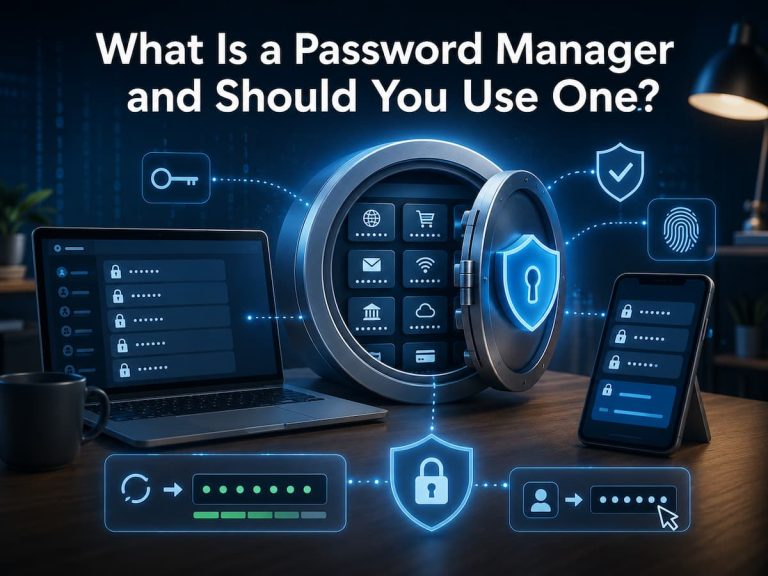
A password manager is one of the easiest tools for improving your online security. It stores your passwords in an encrypted vault and can generate strong passwords for each account. This means you do not need to remember every password yourself. Many beginners feel nervous about using a password manager because they think storing passwords in one place sounds risky. But for most people, using a reputable password manager is much safer than reusing weak passwords across many websites.
The most important part is choosing a strong master password. This is the one password you must remember. It should be long, unique, and not used anywhere else. A memorable passphrase is perfect for this. You should also turn on two-factor authentication for your password manager if it is available. This adds another layer of protection by requiring a second step when logging in. A password manager is especially useful for accounts you rarely use. Instead of creating weak passwords just to remember them, you can let the password manager create strong random ones and store them safely.
Use Two-Factor Authentication for Extra Protection
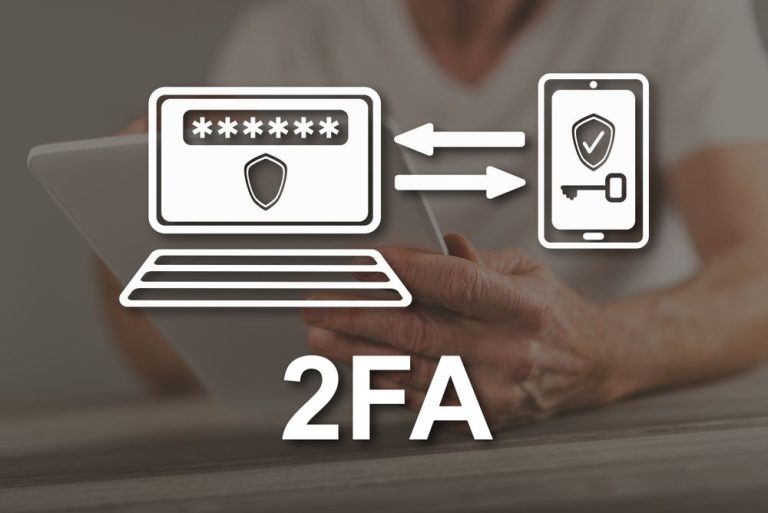
Even a strong password is not perfect. That is why two-factor authentication, often called 2FA, is helpful. It adds an extra step when logging in, such as a code from an app, a security key, or a confirmation on your phone. Two-factor authentication protects you if your password is ever exposed. Someone may know your password, but they still need the second verification step to access your account.
You should enable 2FA on important accounts first. Your email account is especially important because it is often used to reset passwords for other services. You should also protect banking, cloud storage, social media, work tools, and password managers when possible. Authentication apps are usually better than text message codes, because phone numbers can sometimes be transferred or intercepted. Still, any 2FA is generally better than no 2FA. Think of your password as the lock on your front door and two-factor authentication as a second lock. It does not replace a strong password, but it makes your account much harder to break into.
Practical Examples of Strong Passwords
To understand how this works in real life, compare weak passwords with stronger alternatives. A weak password like that Michael1990! is risky because it may include a name and year. A better version could be MarbleForestWindowRuns90!, but only if the number is not personally connected to you. A password like that Pizza123 is too short and predictable. A stronger version could be PizzaCloudRiverNotebook51, which is longer and easier to remember as a mental image.
A password like that ILoveMyDogMax is not ideal because it includes personal information. A better option could be TinyRocketSleepsUnderBlueTable one that is memorable but does not reveal anything important about your life. The best strong passwords often sound a little strange. That is a good thing. Strange combinations are easier to picture in your mind and harder for others to guess. When creating your own password, ask yourself: Could someone guess this from my social media? Is it used anywhere else? Is it long enough? Would I still remember it tomorrow? If you answer yes to the right questions, you are on the right track.
How Often Should You Change Your Passwords?
You do not need to change every password constantly for no reason. In fact, changing passwords too often can lead people to create weaker ones because they get tired of remembering new combinations. Instead, change your password when there is a good reason. You should update a password if a website reports a data breach, if you shared the password with someone, if you used it on another account, or if you think someone else may know it.
You should also change weak or reused passwords as soon as possible. Start with your most important accounts, such as email, banking, password manager, and work accounts. Thereafter, move to social media, shopping, and entertainment accounts. A smart approach is to review your passwords a few times a year. Look for repeated passwords, old passwords, or accounts you no longer use. Updating your password habits gradually is better than doing nothing because the task feels too big. Strong password security is not about perfection. It is about building safer habits one step at a time.
How to Remember Strong Passwords Without Writing Them Everywhere
Remembering strong passwords becomes easier when you use stories, images, and patterns. The human brain is better at remembering pictures and stories than random characters. For example, it GreenMonkeyReadsBooksAtSunset44 creates a clear image. You can imagine a green monkey reading books while the sun goes down. That mental picture helps the password stick in your memory.
You can also connect your password to a private story that only makes sense to you. The story should not include real names, birthdays, addresses, or public details. It should simply help you remember the order of the words. Another useful trick is practicing the password a few times when you create it. Type it slowly, then type it again from memory. Do this several times during the first day. Thereafter, your fingers and brain will usually remember it more easily. For accounts you rarely access, let a password manager remember the password for you. Save your memory for the few passwords that truly matter, such as your computer login and password manager master password.
Conclusion
Creating strong passwords that are easy to remember does not have to be confusing. You do not need to rely on random characters that make no sense. Instead, use long passphrases, private memory tricks, and unique passwords for every account. The best password is one that is long, hard for others to guess, and easy enough for you to use correctly. A strange phrase like “I love pizza” BlueTigerDrinksCoffeeNearMoon47 is far better than a short password like “123456.” It is easier to remember, harder to crack, and less likely to follow a common pattern.
For the best protection, combine strong passwords with a password manager and two-factor authentication. Start with your most important accounts first, especially your email. Once those are secure, improve the rest step by step. Good password habits protect your privacy, your money, your work, and your personal information. A few smart changes today can prevent many problems later.
FAQs
1. How to easily make a strong password?
The easiest option is to use a passphrase made up of many random words. For example, a password such as OrangeRiverChairMoon58 is simpler to remember than random letters and symbols but is still stronger than a short password.
2. Should You Use the Same Strong Password Everywhere?
No. Use a separate password for each account. If you use the same password on many websites and one website leaks it, your other accounts are at risk. A password organizer helps you secure unique passwords.
3. Is it safe to write passwords down?
Writing down passwords isn’t a good idea, especially if they’re stored somewhere that’s simple to locate. A password manager is typically more secure. If you must write down a vital password, keep it in a safe physical area that isn’t on your computer.
4. How can I remember a strong password?
Use a mental image or a brief tale. PurpleDuckCarriesSilverBooks is a quirky image that is simpler to recall. The weirder the picture, the more your brain is likely to recall it.
5. Is two-factor authentication still necessary if I have a strong password?
Yes. Two-factor authentication offers an extra layer of security. Even if someone has your password, they may not be able to access your account without the second verification step.
Samira Patel is a tech writer who believes the best tools are the ones you actually use. She tests every app, shortcut, and workflow on her own laptop before sharing it—no recommendations she hasn’t lived with herself. When she’s not figuring out why a computer is running slow, she’s probably reorganizing her cloud storage (again). She writes to help busy people find simpler, smarter ways to work. No hype, just what works.